
What is GrndCtrl
GrndCtrl is an AI-powered company portal built by NXT Construction Technologies that brings your entire team together in one place. From company announcements and employee recognition to AI-assisted document search and team chat, GrndCtrl gives every employee a central hub for communication, collaboration, and quick access to the tools they need.
What is GrndCtrl?
Section titled “What is GrndCtrl?”GrndCtrl is a modern, multi-tenant employee portal designed for construction and professional services organizations. It runs as a Progressive Web App (PWA), meaning you can access it from any browser and install it on your phone or tablet for an app-like experience — no app store download required.
The platform centralizes company communication, knowledge sharing, and employee engagement into a single interface. Whether you’re in the office or out in the field, GrndCtrl keeps you connected to your team and your company’s resources.
Key Features
Section titled “Key Features”| Feature | Description |
|---|---|
| What’s Happening | Company news and announcements feed with rich text, images, and expiration dates |
| Good News | Employee recognition program where team members share positive updates, photos, and celebrate wins in small groups |
| Helpful Links | Curated directory of company resources organized by category (HR, Finance, Production, Sales, and more) |
| Feedback | Submit feature requests, support ideas, and track product improvements across all NXT products |
| Chat Interface | AI-powered assistant that answers questions using your company’s uploaded documents as a knowledge base |
| Company Calendar | Holidays, pay schedules, and important dates. Its own page, delivered by the What’s Happening app |
| Document Library | Where administrators manage everything the assistant can read — uploads, synced folders, indexing health, and boost tags |
| App Store | Where an administrator turns apps on and off for the organization |
| Integrations Hub | Connects GrndCtrl to systems you already use, and combines their data into tables the assistant can read |
| Submit Support Ticket | Raise a support request and follow its status from your Home screen |
GrndCtrl Is a Platform
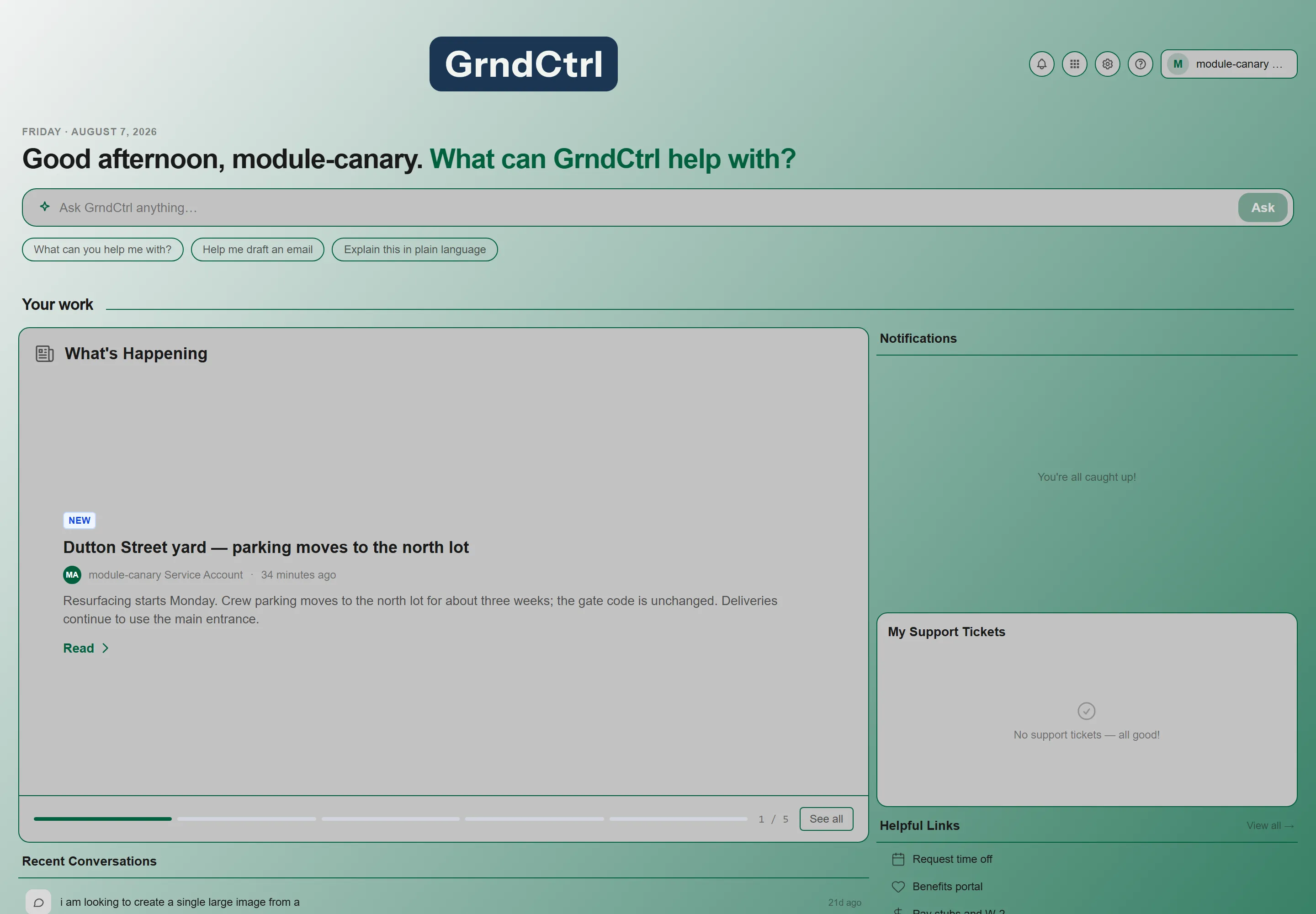
Section titled “GrndCtrl Is a Platform”The features above are not a fixed set. GrndCtrl is extensible: capabilities ship as apps that your organization turns on, and what you see depends on which apps have been enabled for you.
- An administrator enables an app in the App Store, then grants specific groups access to it.
- Enabled apps appear in the App Drawer, and some also contribute a widget to the Home screen.
- Some apps are built by NXT and available to everyone; others are built for one organization.
Who is GrndCtrl For?
Section titled “Who is GrndCtrl For?”GrndCtrl is designed for every employee in your organization, regardless of role or technical skill level:
- All Employees — Stay informed with company news, share good news, access important links, and ask the AI assistant questions about company documents
- Field Teams — Access company resources and documents from any device while on the go
- Managers and Supervisors — Post announcements, manage groups, and keep teams aligned
- Administrators — Manage users, curate content, configure settings, and review analytics
- HR and Operations — Distribute company-wide communications, manage helpful links, and track employee engagement
How It Works
Section titled “How It Works”Getting started with GrndCtrl is straightforward:
Step 1: Sign In
Section titled “Step 1: Sign In”Sign-in starts with your email address. Enter it, click Continue, and GrndCtrl works out how your organization signs in. Most organizations use single sign-on, so you are offered Continue with your provider — usually the same Microsoft account you use for Outlook and Teams. Organizations without single sign-on go straight to a password form instead.
Full walkthrough, including your first sign-in with a temporary password: Getting Started with GrndCtrl.
Step 2: Explore the Dashboard
Section titled “Step 2: Explore the Dashboard”You land on the Home screen — a dashboard of widgets your organization arranges, holding company news, recent conversations, and shortcuts to what your team uses most. It is configured per organization, so yours will not look like everyone else’s.
To reach anything not on your Home screen, use the Apps button — the grid icon in the header. It lists everything you have access to. See Finding and Opening Your Apps.
Step 3: Stay Connected
Section titled “Step 3: Stay Connected”Use the platform daily to:
- Check What’s Happening for company announcements
- Share updates in your Good News group
- Find company tools and resources in Helpful Links
- Ask the assistant questions about company policies or documents in the Chat Interface
- Submit ideas through Feedback
Feature Highlights
Section titled “Feature Highlights”What’s Happening
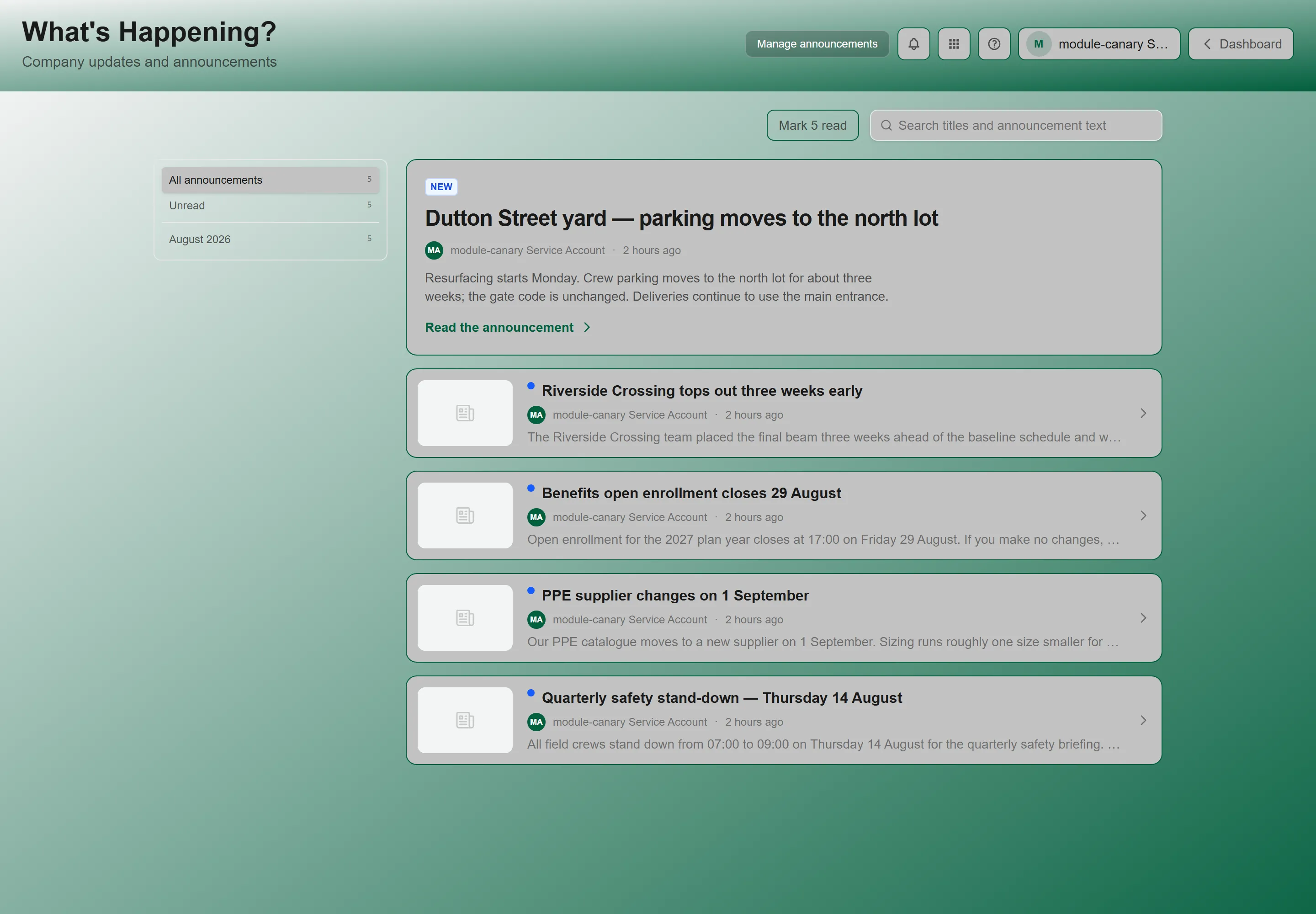
Section titled “What’s Happening”The company news feed keeps everyone informed. Administrators and authorized users can post announcements with rich text formatting, embedded images, and set expiration dates so outdated news automatically disappears. Posts are displayed in a clean, chronological feed.
Good News
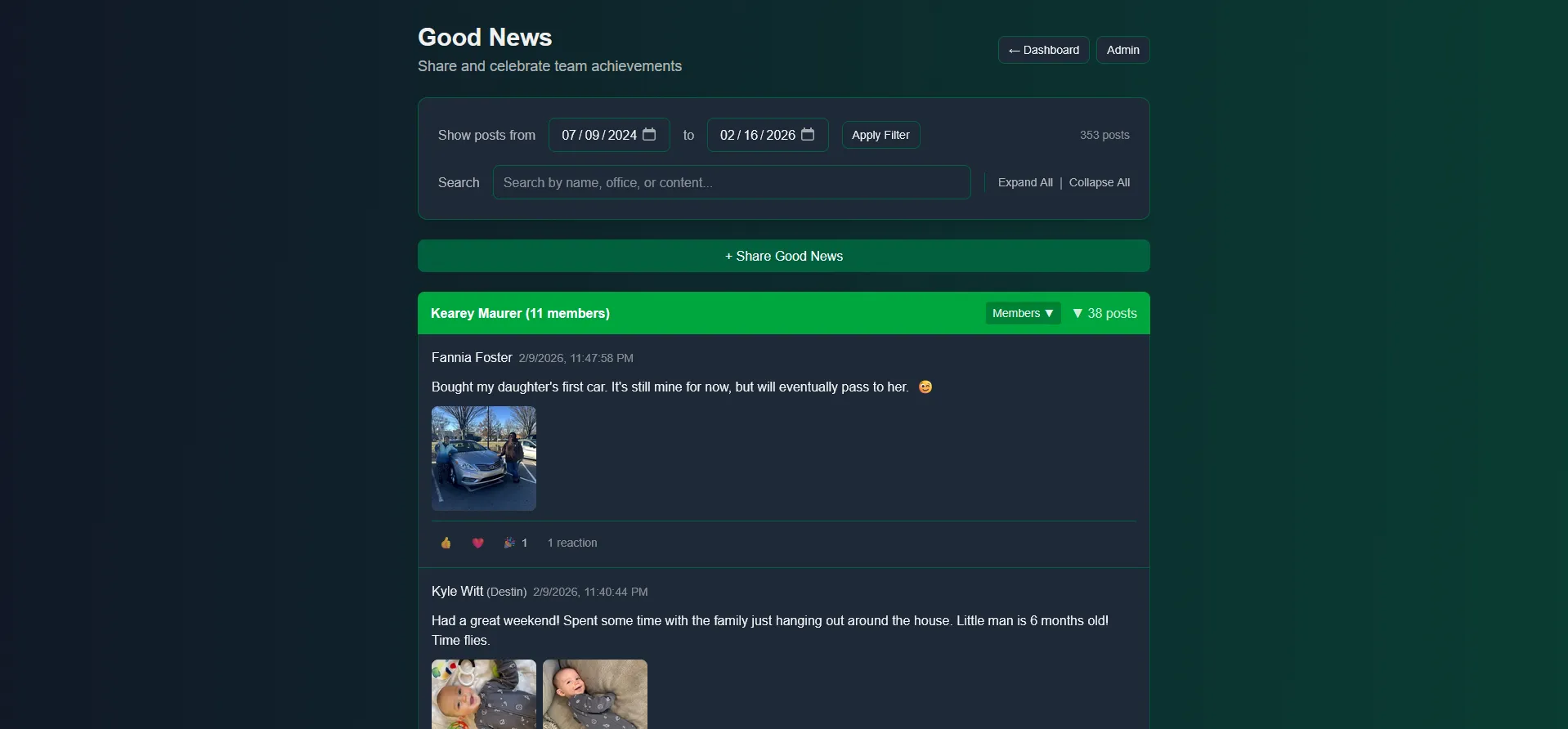
Section titled “Good News”Good News is GrndCtrl’s employee recognition feature. Employees are organized into groups of approximately 10 members, each named after a group owner. Group members share positive updates, personal wins, and team celebrations with photos and emoji reactions.
AI-Powered Document Search and Chat
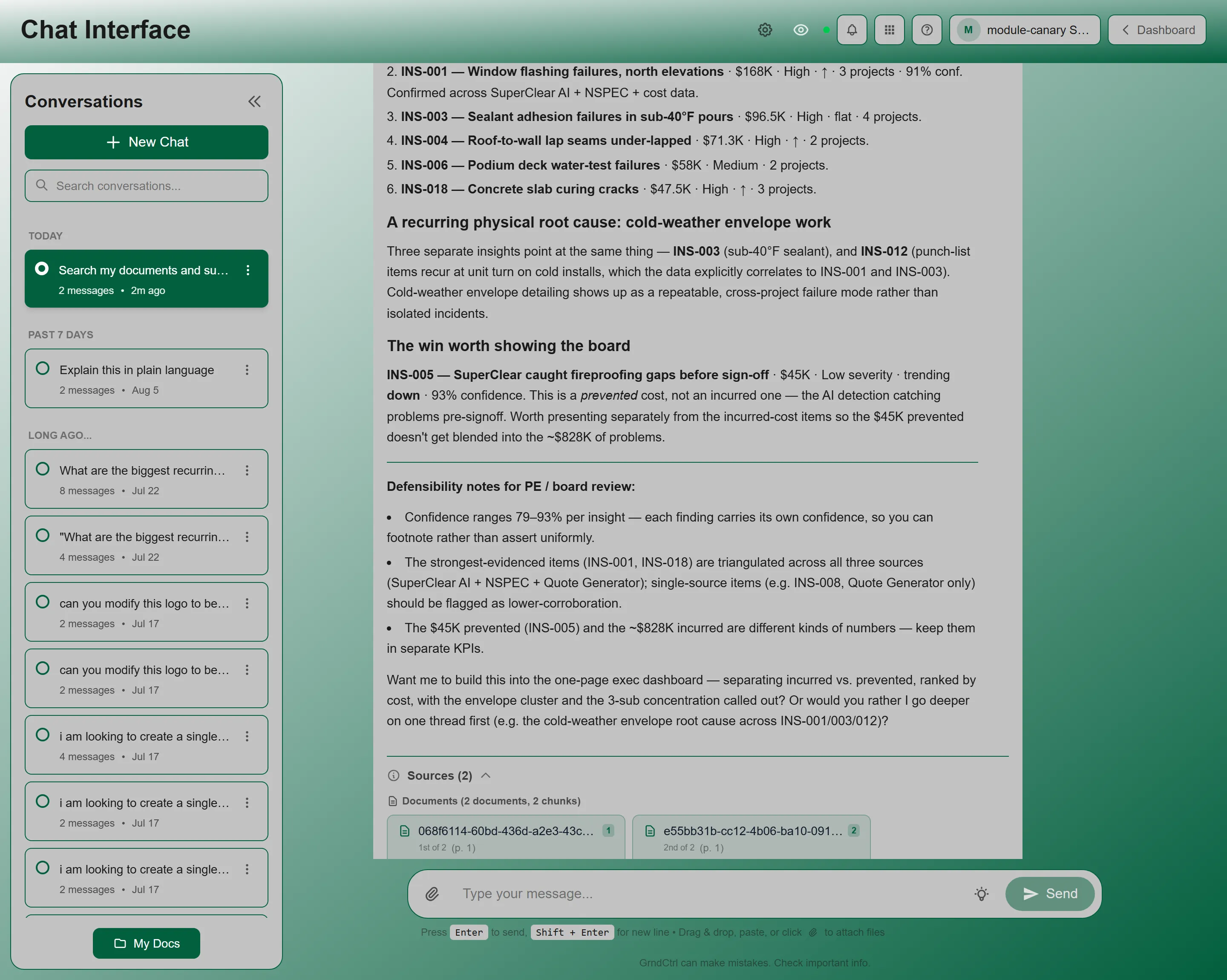
Section titled “AI-Powered Document Search and Chat”One of the most powerful features of GrndCtrl is the AI-powered chat assistant. The system uses your company’s uploaded documents as a knowledge base, so employees can ask questions in natural language and get instant, relevant answers — no more searching through SharePoint folders or emailing HR for a policy document.
Documents are processed with semantic search technology, meaning the AI understands the meaning behind your question, not only the keywords. Administrators can boost certain document categories to ensure the most authoritative sources surface first.
Feedback
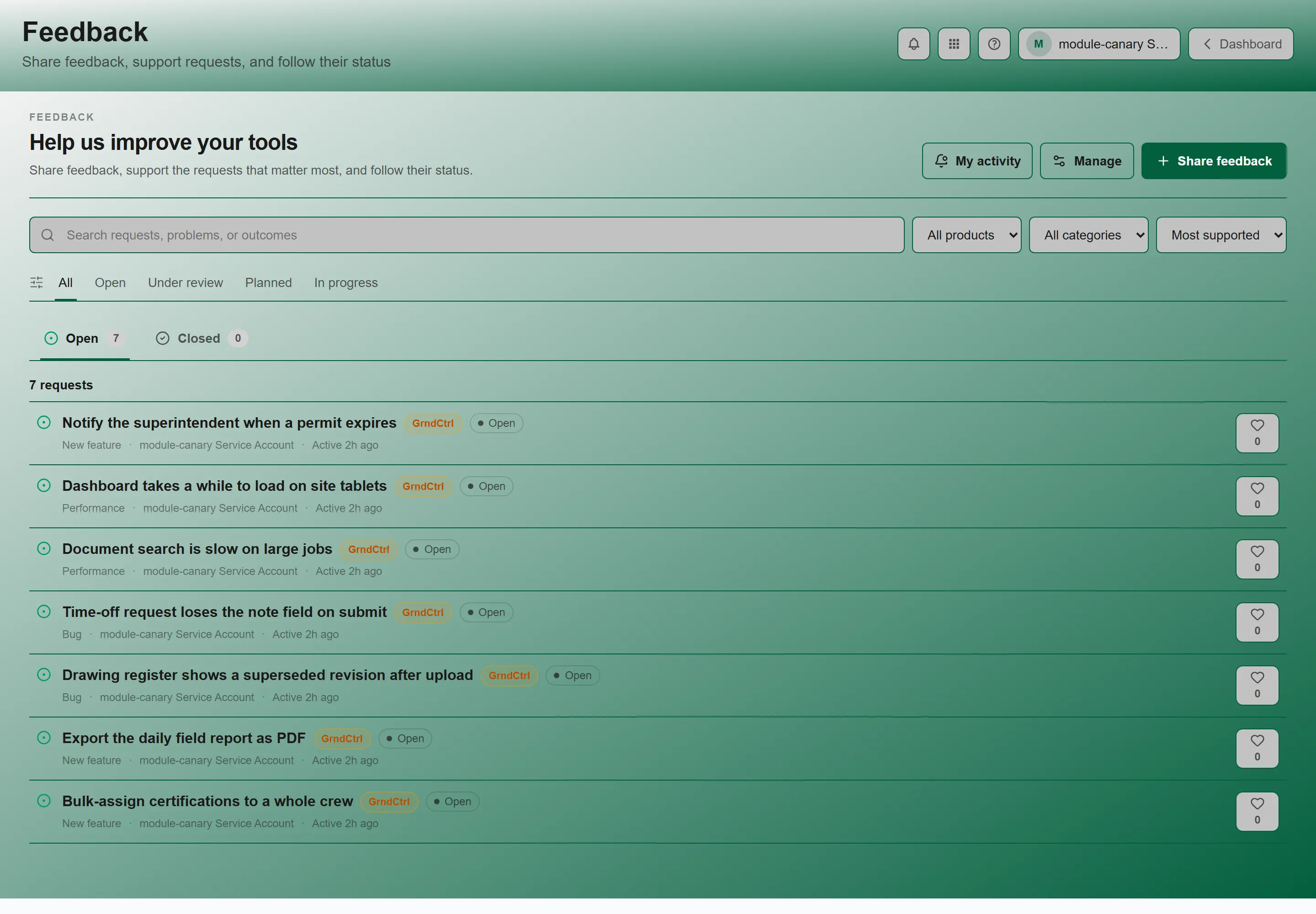
Section titled “Feedback”Feedback gives every employee a voice. Submit feature requests or improvement ideas for any NXT product — NSPEC, SuperClear AI, or GrndCtrl itself. Other employees can support ideas they agree with, and administrators can track request status and merge duplicate suggestions.
Feedback is organized by category:
- New feature — New functionality requests.
- Bug — Something behaving incorrectly.
- Performance — Speed and efficiency improvements.
You may still see older requests filed under UI / UX or Integration. Those categories were retired and are no longer offered when you submit, but existing posts keep them.
Access Anywhere
Section titled “Access Anywhere”GrndCtrl is built as a Progressive Web App (PWA), which means:
- Any Browser — Works in Chrome, Safari, Firefox, and Edge
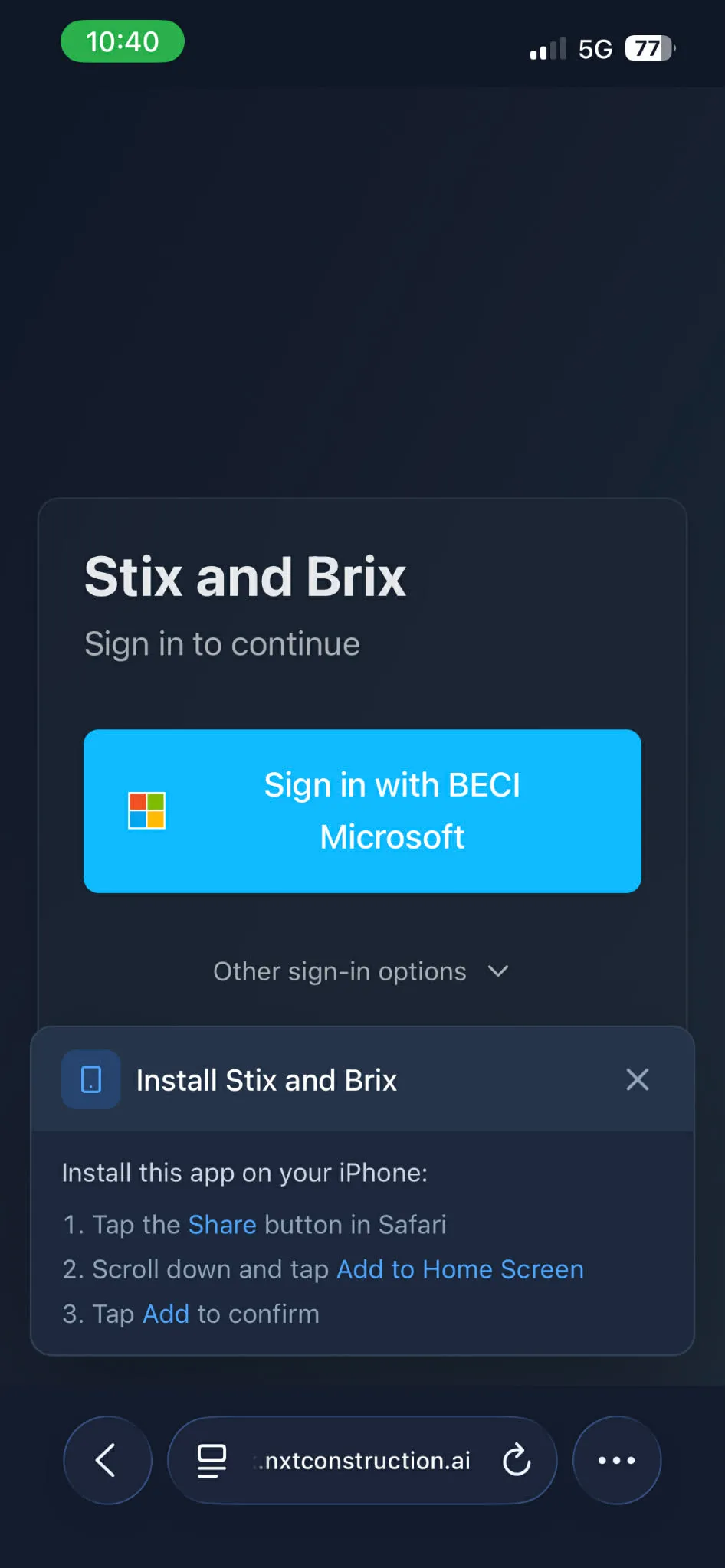
- Install on Mobile — Add to your home screen on iOS or Android for an app-like experience
- No App Store Required — Access instantly through your browser without downloading from an app store
- Always Up to Date — Updates happen automatically, so you always have the latest features
Installing on Your Device
Section titled “Installing on Your Device”Open app.grndctrl.ai in your browser, then add it to your home screen or install it — the exact steps differ by device and are covered in Getting Started with GrndCtrl. The GrndCtrl icon then appears alongside your other apps.
Security and Authentication
Section titled “Security and Authentication”GrndCtrl uses enterprise-grade security to protect your company’s data:
- Multiple Sign-In Methods — Microsoft SSO, Google, or email/password depending on your organization’s configuration
- AWS Cognito — Authentication managed through AWS Cognito with federated identity providers for reliable, secure identity management
- Multi-Tenant Isolation — Each organization’s data is completely separated and isolated
- Secure Storage — All files and documents stored securely in AWS S3 with encryption
Part of the NXT Ecosystem
Section titled “Part of the NXT Ecosystem”GrndCtrl is part of the NXT Construction Technologies product family, alongside:
- NSPEC — Comprehensive field report and inspection platform
- SuperClear AI — AI-powered building envelope defect detection
Feedback within GrndCtrl lets you submit ideas and support improvements for any of these products, creating a unified feedback loop across the entire platform.
Next Steps
Section titled “Next Steps”Ready to get started? Continue with these guides:
- Getting Started with GrndCtrl — Sign in, navigate the dashboard, and set up your profile
- What’s Happening — Learn how to read and post company announcements
- Good News — Share positive updates with your group
- Documents and AI Chat — Search company documents and ask the AI assistant questions
Related Articles
Section titled “Related Articles”- Finding and Opening Your Apps — Where everything lives, and how to reach it
- Getting Access to Apps and Extensions — Why a feature might be missing, and the three things that have to be true
- GrndCtrl Frequently Asked Questions — Short answers about signing in, mobile, security, and settings
- Why Can’t I See This Page? — “Access Denied”, missing pages, and what to ask your administrator
- Submit a Support Ticket — Raising a support request and tracking its status